Add your own apps
Build a collection around the programs you actually use. Add your chosen shortcuts instead of filling the launcher with apps you do not need.

A cleaner desktop.
Your everyday programs within reach.
Orbit brings your chosen Windows shortcuts together in a desktop launcher. Open your app collection, find the program you need, and get back to work.
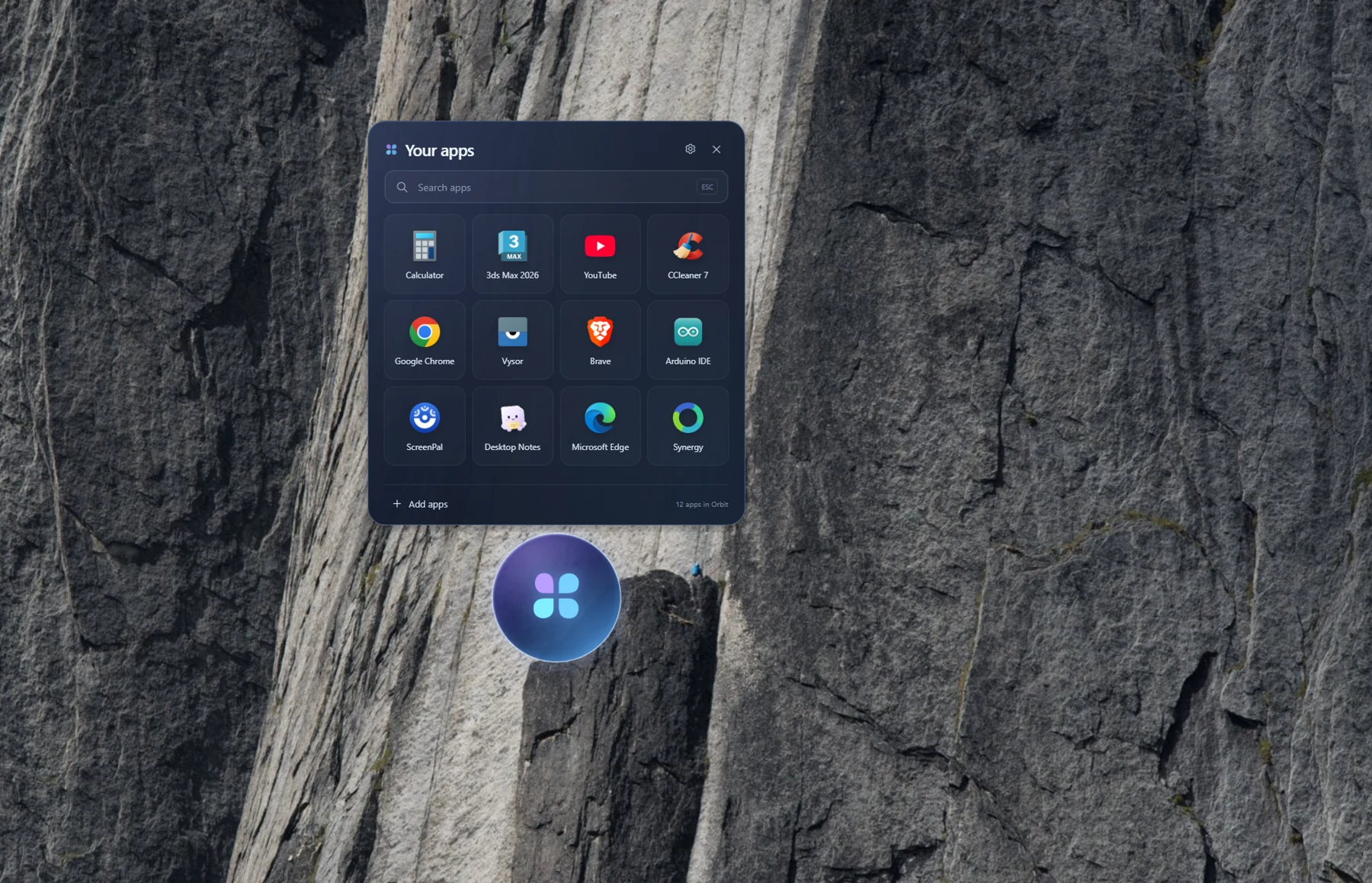
Keep your everyday program shortcuts in a dedicated Windows app launcher. Orbit gives you a clear place to look when you need to open something.
Build a collection around the programs you actually use. Add your chosen shortcuts instead of filling the launcher with apps you do not need.
Use the search field to find a program in your Orbit collection. Spend less time scanning a desktop full of similar-looking shortcuts.
App icons and names make the launcher easy to scan. Open your browser, design software, utilities, or development tools from the same place.
Use Orbit's floating desktop icon to bring your app collection into view. Hover to reveal your programs, then click the one you want to launch.
Your programs stay installed on Windows. Orbit gives their shortcuts a home, so you can organize how you reach them without changing the apps you rely on.
Your tools. Your collection. Your way to launch.
Run the Windows app and bring up the launcher from its desktop icon. Start with the programs you use most often.
Use Add apps to choose what belongs in your collection. Keep work tools, browsers, and everyday utilities together in the launcher.
Find an app by its name or recognizable icon, then click to open it. Return to Orbit whenever you need another program.
Orbit is designed around a simple app collection. The launcher brings together the essentials: a search field, a grid of program shortcuts, an Add apps control, and the floating Orbit icon.
Keep the tools for your kind of work together, whether you are designing, developing, or handling everyday tasks.
Keep shortcuts to your design, editing, and production software in one collection. Open the tool you need when the next idea is ready.
Bring your editor, browsers, and utilities together. Orbit gives the programs in your workflow a consistent place on the desktop.
Calculator, notes, browsers, and other frequently used programs can live in the same launcher, ready when your day calls for them.
A few details about organizing and launching your Windows programs.
Orbit is a Windows desktop app launcher. It brings your chosen program shortcuts together in a searchable collection, accessible through its floating desktop icon.
No. Orbit organizes shortcuts to programs you already have installed. It helps you open those programs; it does not replace their installers or install a different copy of each app.
Open the launcher and use Add apps to choose the program shortcuts you want in your collection. Start with the apps you open most often and build from there.
Use the search field in Orbit to find one of your added shortcuts by name. You can also scan the program icons and labels in the app grid.
No. Orbit organizes and launches your Windows programs. Kostricani Capture is a separate tool for taking screenshots, annotating images, and sharing the result. You can use both in the same workflow.
This page explains Orbit and shows the application. To organize and launch your installed programs, use the Windows desktop app. The website preview is not the launcher itself.
Bring your chosen Windows shortcuts together. Open Orbit, add your programs, and give your everyday apps a place of their own.